👤 Workers
The Workers page allows you to manage information related to company employees.
From here, you can add new workers and edit personal and contractual data.
➕ Adding a worker
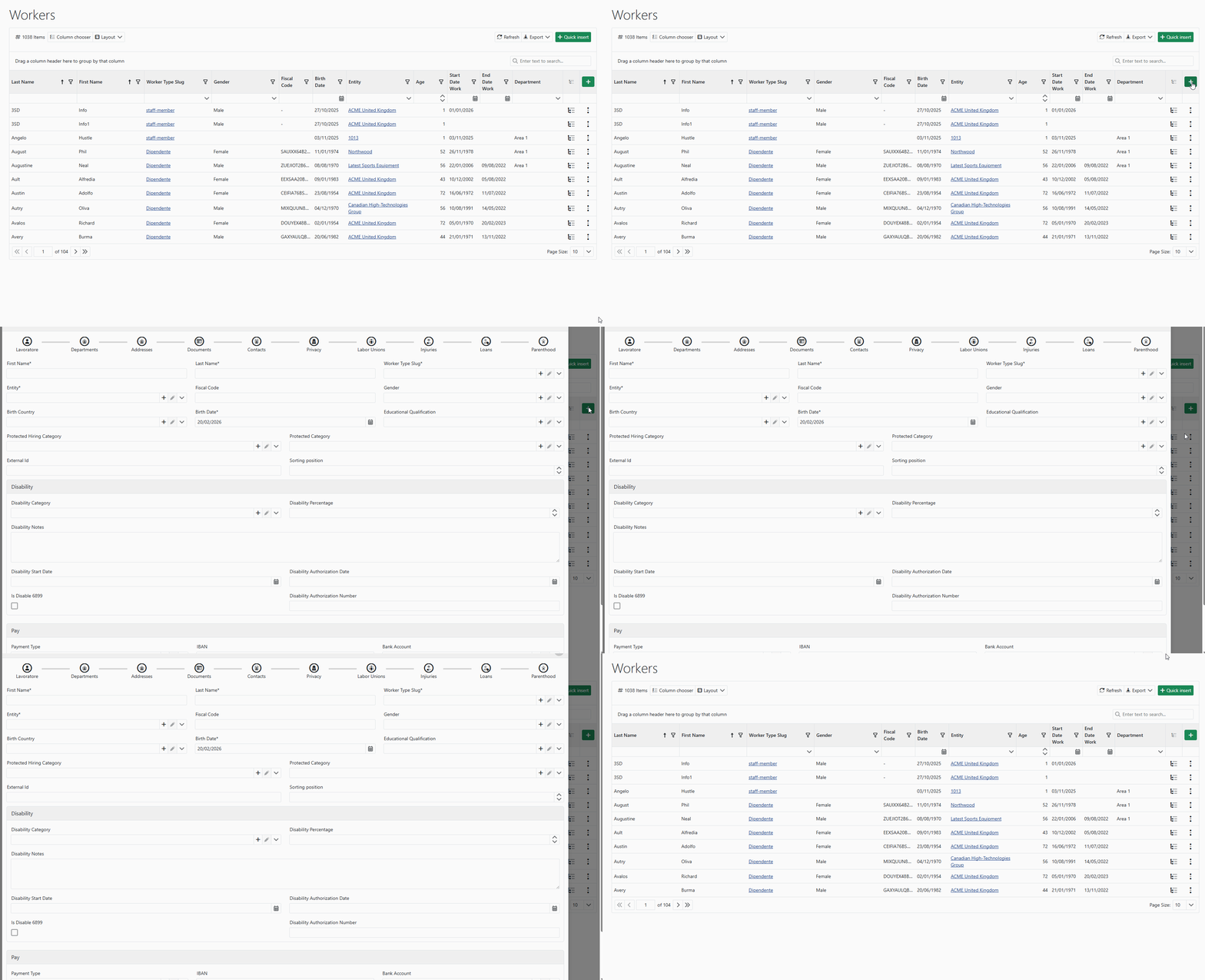
Using the Insert button, you can create a new worker by filling in all available information.
To simplify the process, worker creation is organized into a wizard divided into the following sections:
- 👤 Worker (personal data)
- 🏢 Departments
- 📍 Addresses
- 📄 Documents
- 📞 Contacts
- 🔒 Privacy
- 🤝 Unions
- 🩹 Injuries
- 💰 Financing
- 👶 Maternity/Paternity
This structure allows a complete configuration of the worker’s profile.
⚡ Quick insertion
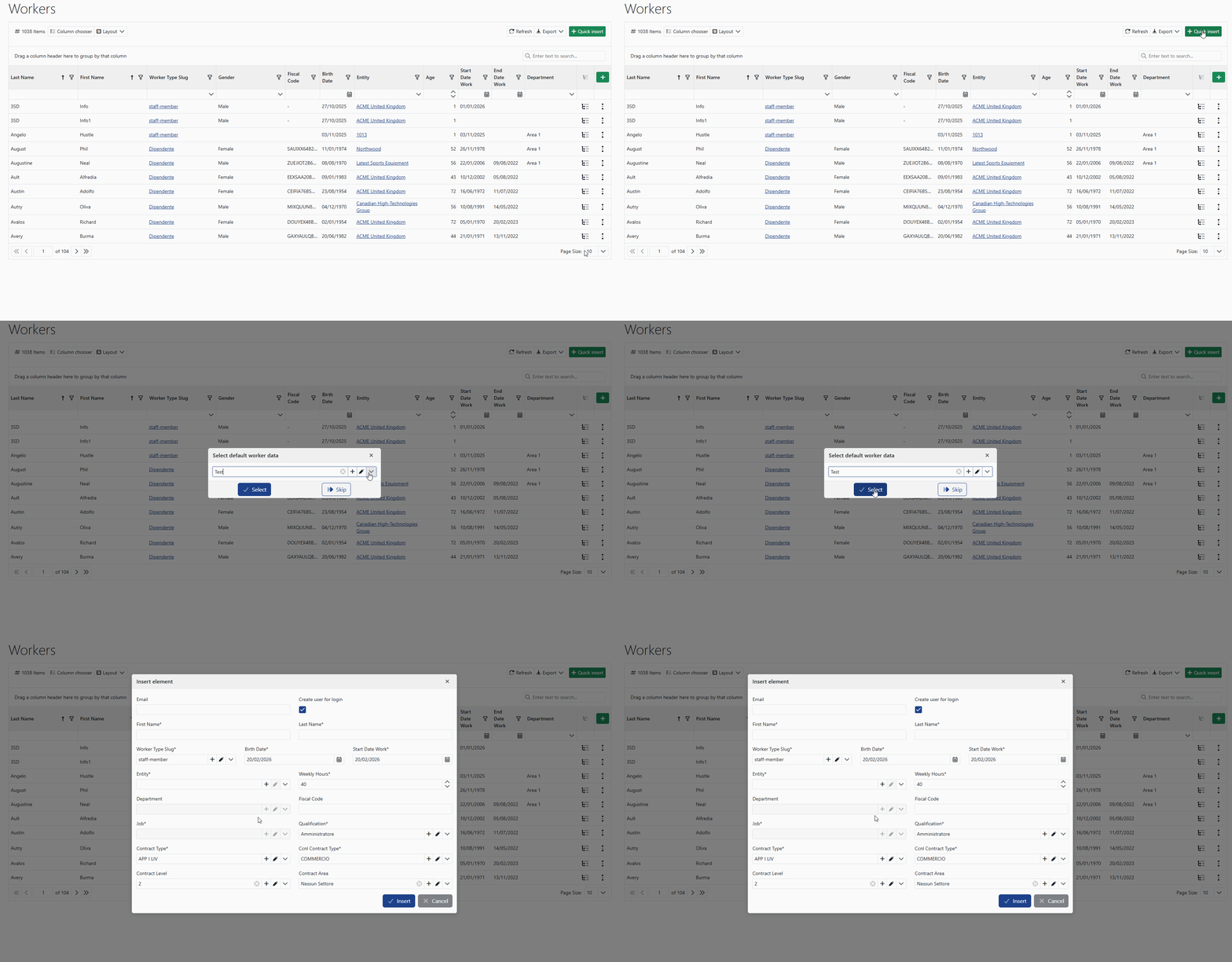
Using the Quick insertion button, you can create new workers using predefined configurations.
This feature allows you to:
- speed up the insertion process
- avoid repetitive data entry
- automatically apply company standard values
During the process, you can select a predefined profile, which will automatically fill in part of the worker’s fields.
After selection, you can:
- ✅ confirm with Select
- ⏭️ continue without applying presets using Skip
You can also enable the option:
✅ Create access account
which automatically generates a user account for platform access.
If enabled by company configuration, the system can also automatically send an access request email, which will be delivered directly to the user.
💡 Tips
Correctly filling in contractual data during creation helps prevent anomalies in attendance modules and approval workflows.
Some available fields may vary depending on user permissions or company configuration.