🔁 Shared Commands
These commands are present in most areas of the app, so make sure not to miss this part.
The following commands are commonly used across various sections of InariHub. Learning how to use them will give you a consistent and powerful way to interact with the system.
⚙️ Key Commands
🔍 Filter Grid
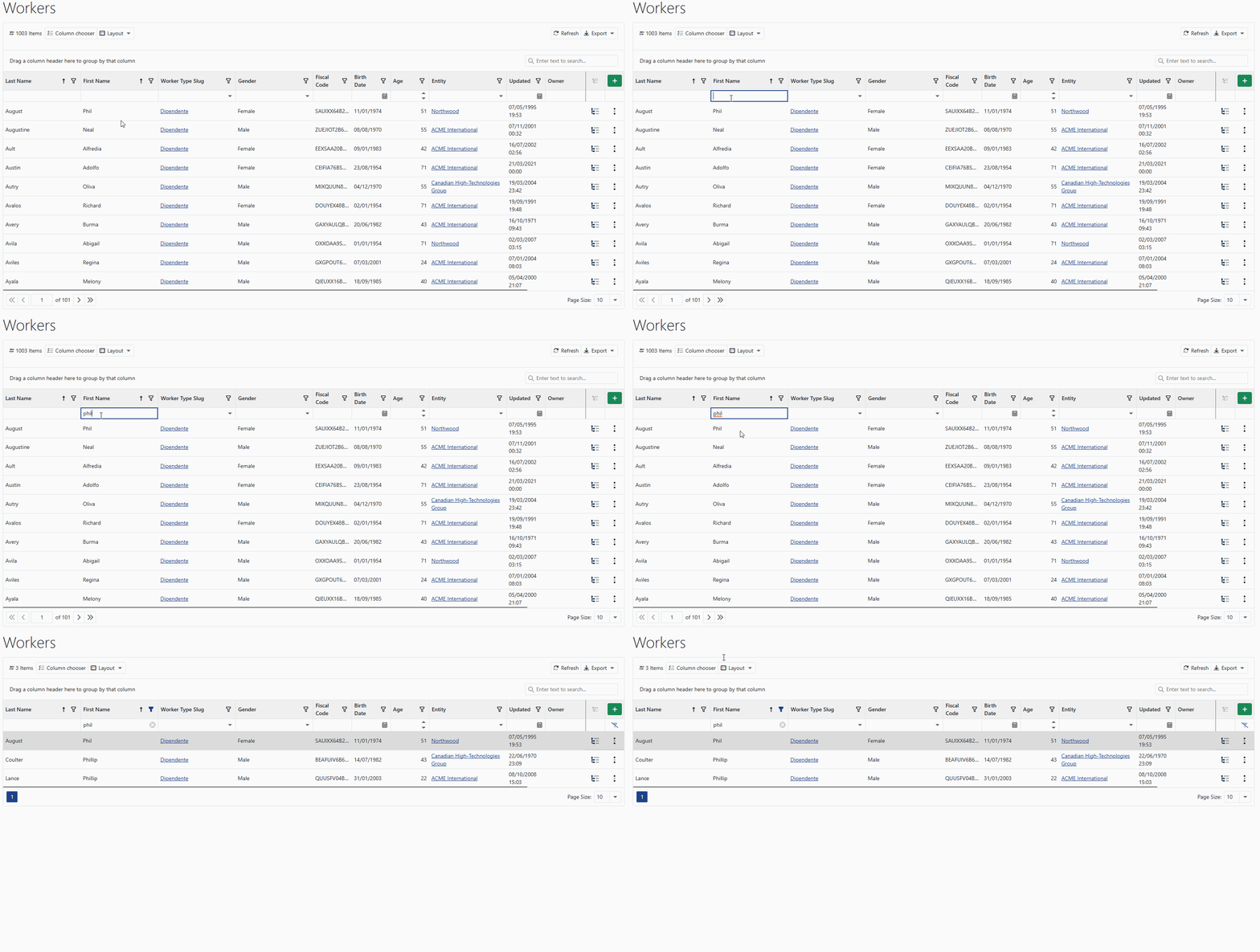
Use the first empty row in any data table to filter and search for the information you need. Depending on the field, the filter input can be:
- Free text
- Drop-down menu
- Date selector
This makes it easy to narrow down and locate specific records quickly.
➕ Add to Grid
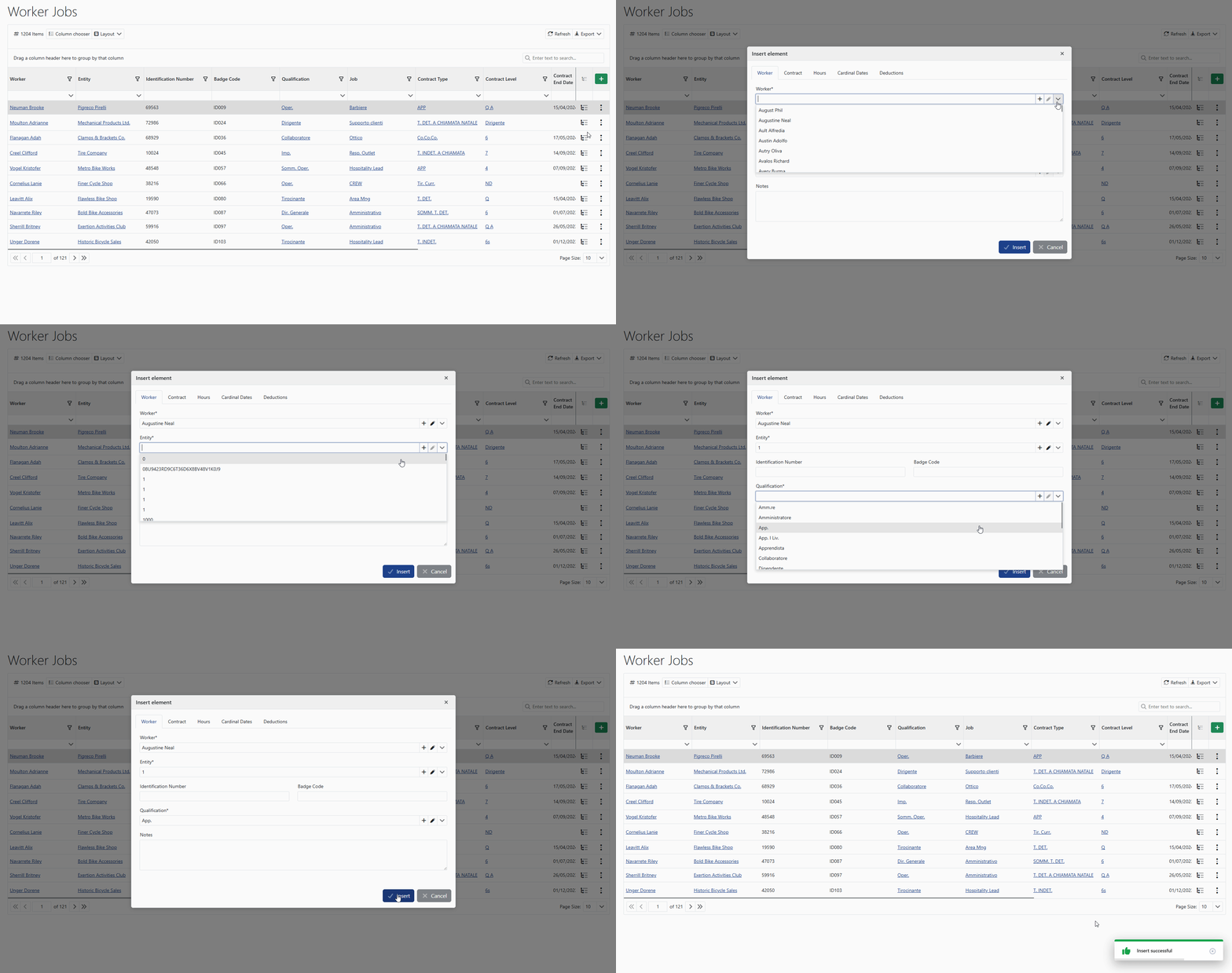
Click the plus button to add a new entry to your grid — whether it’s a:
- New worker
- Document
- Expense item
- Any other entity
This function helps you expand and organize your data efficiently.
✏️ Modify, View, Duplicate, Delete
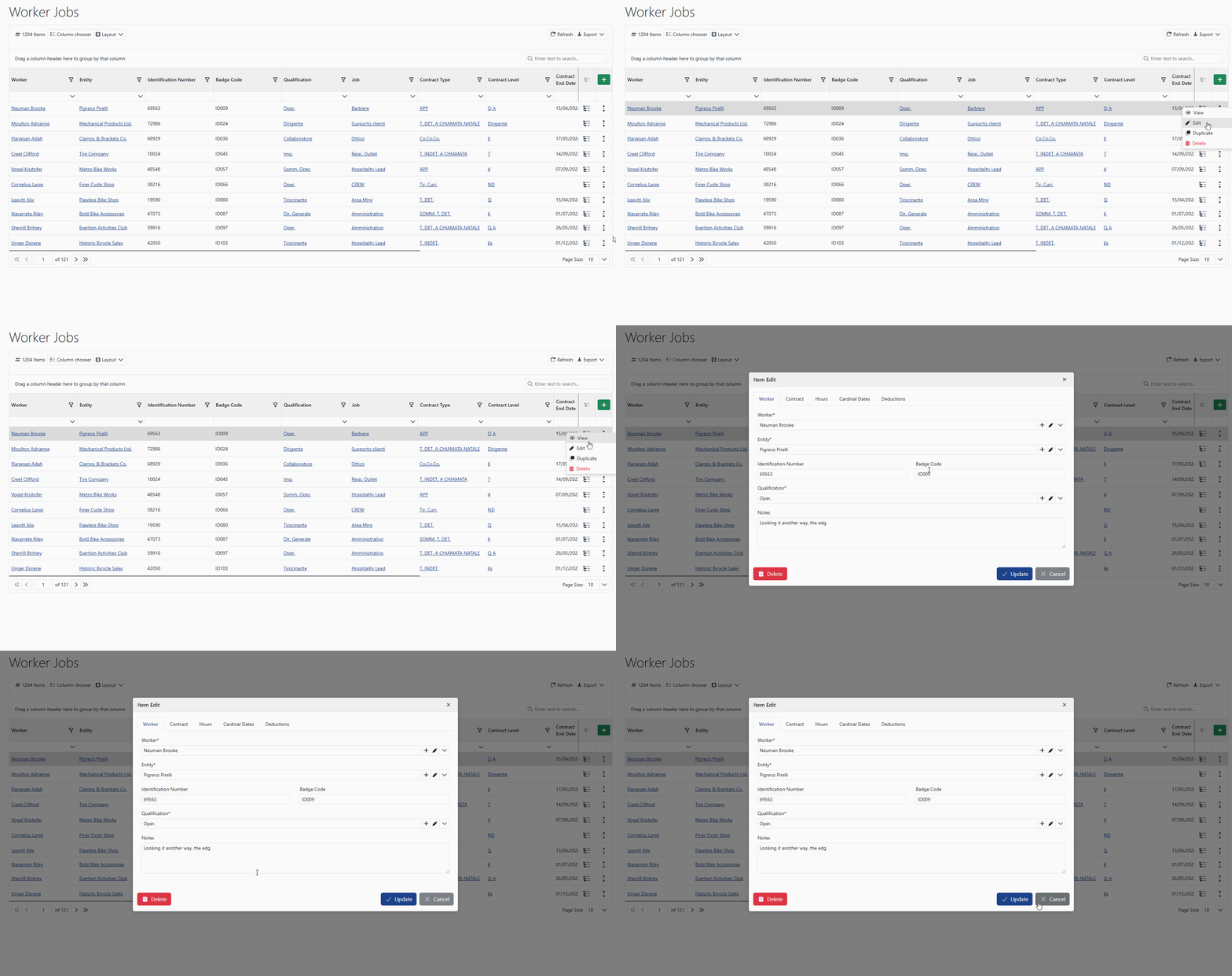
Use the three-dot menu on the far right of any row to:
- 👁️ View detailed information
- ✏️ Edit existing data
- 📄 Duplicate an entry for reuse
- 🗑️ Delete the item if no longer needed
This menu gives you granular control over each item, improving flexibility and management accuracy.
🧾 View Details
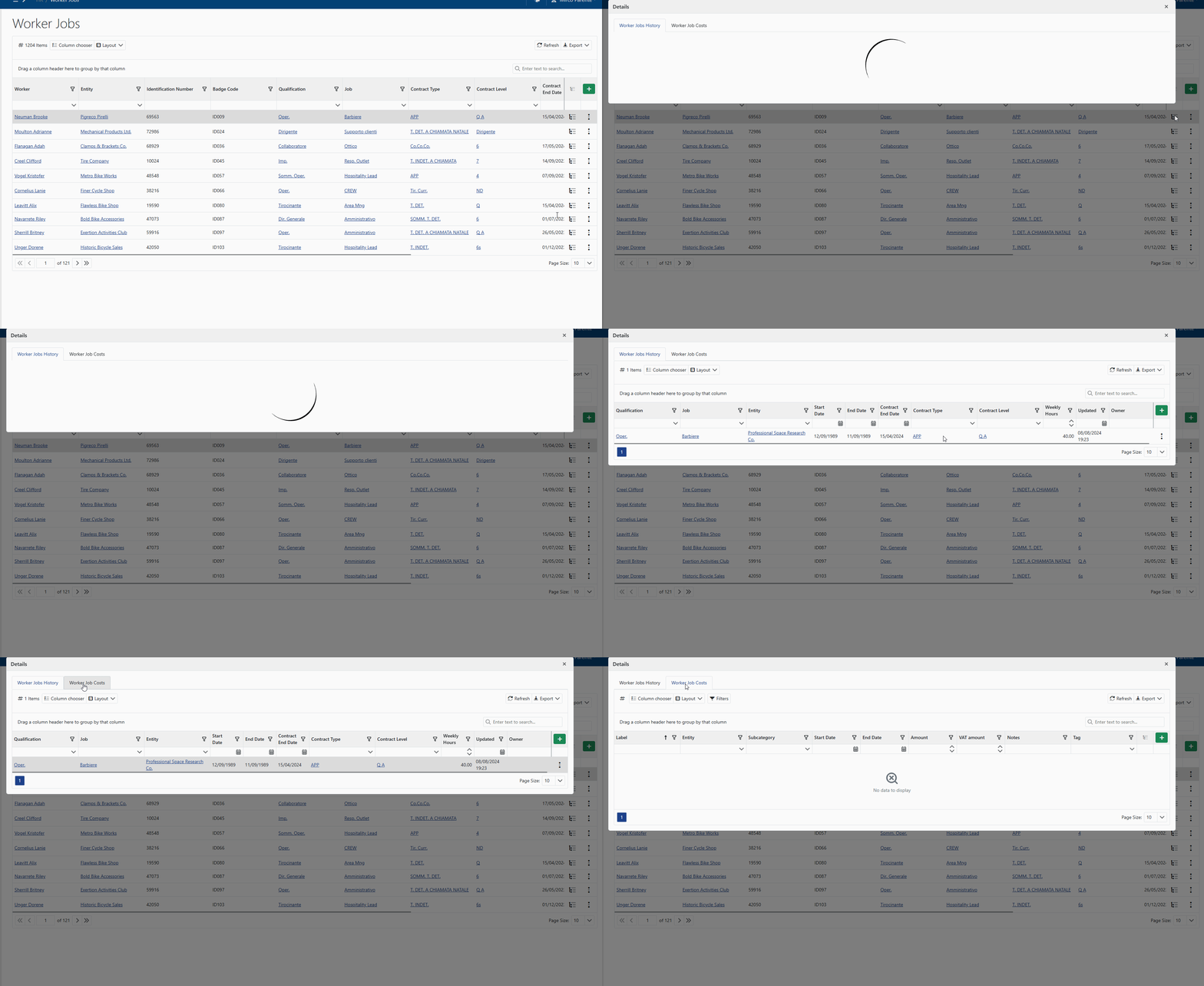
Press the “Details” button to open a comprehensive view of the selected item. You’ll gain access to all available information, ensuring a complete understanding before taking any action.
🧩 Editable Selection Lists
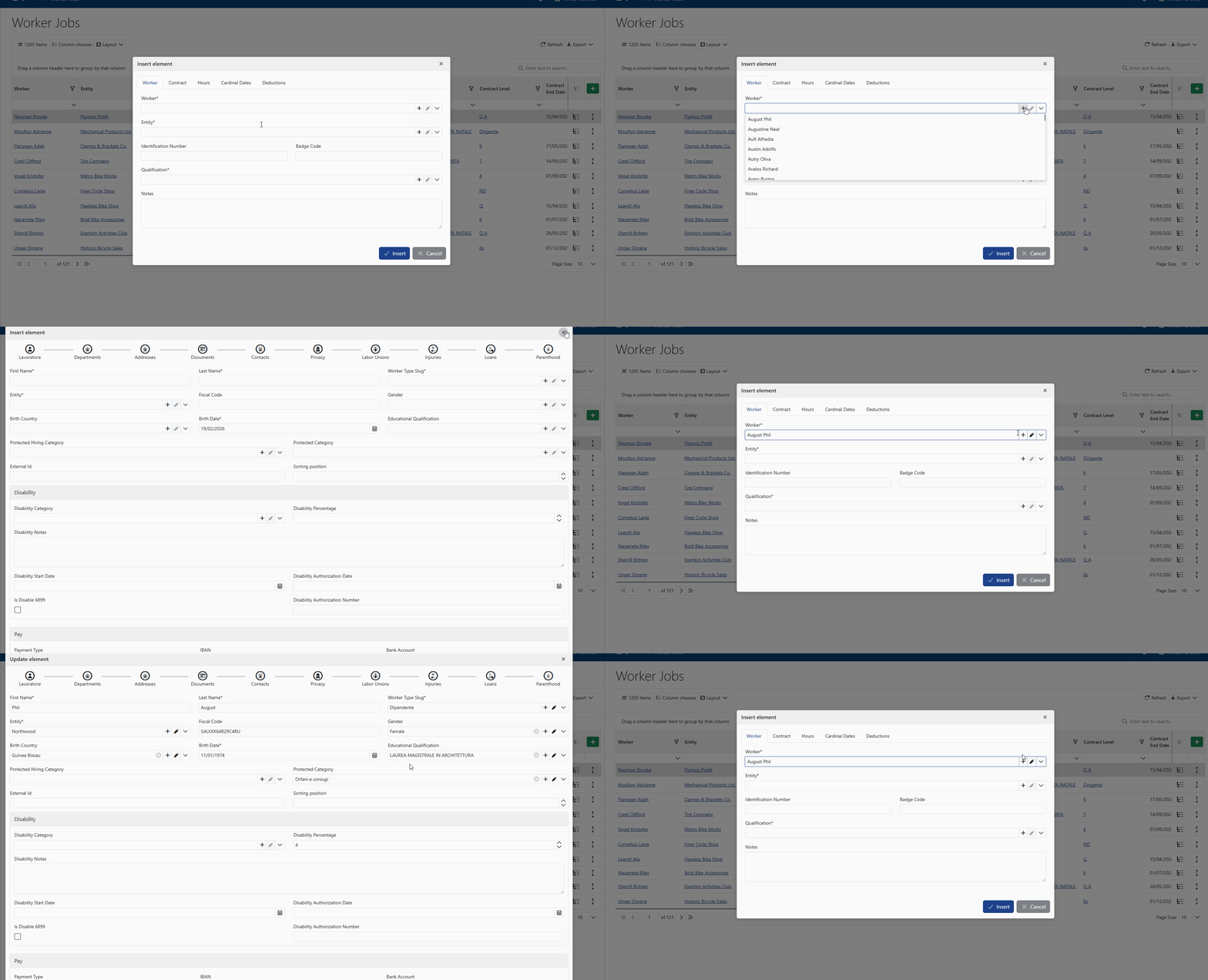
In many input fields, you may find a selection dropdown that allows not only choosing an existing value but also creating or editing items — depending on your permissions.
For example, when selecting a worker or another entity, the dropdown may display additional actions that let you:
- ➕ Create a new item
- ✏️ Modify an existing one
This allows users to update reference data directly from the current screen, avoiding navigation to other pages and significantly speeding up the workflow.
🚀 Getting Started
Now that you understand how to use the shared commands in InariHub, you can explore the rest of the documentation using:
- The left-hand sidebar navigation
- The Next/Previous buttons at the bottom of each page
By mastering these shared tools, you’ll improve your productivity and make your work with InariHub smoother and more efficient.
💡 Tips for Using Shared Commands
- 🔄 Consistency: These commands behave the same across all sections, making them easy to learn and remember.
- ⏱️ Efficiency: They save time and reduce manual effort for data management.
- 🧩 Flexibility: The ability to modify, duplicate, and delete ensures you're always in control of your data.