📄 Contracts
The Contracts page allows you to manage the contracts associated with workers.
From this section, you can view, create, and edit active contracts as well as the contractual history.
➕ Adding a contract
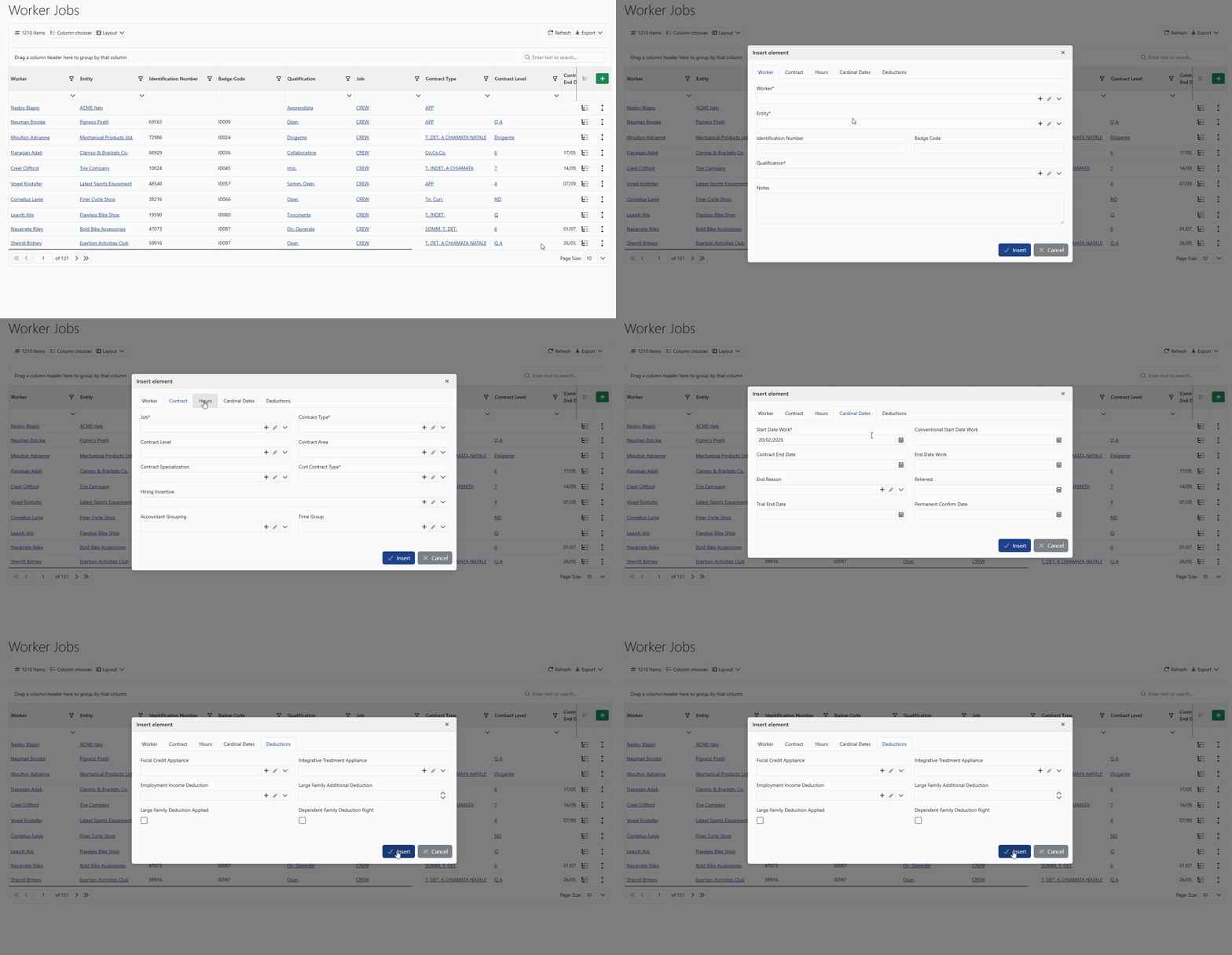
You can add a new contract using the Add button.
During creation, the main contractual information of the worker is defined, such as contract type, level, and validity period.
🧰 Editing and management
For each contract, quick actions are available directly from the row:
- ✏️ edit the contract
- 👁️ view details
- ⚙️ manage the contract status
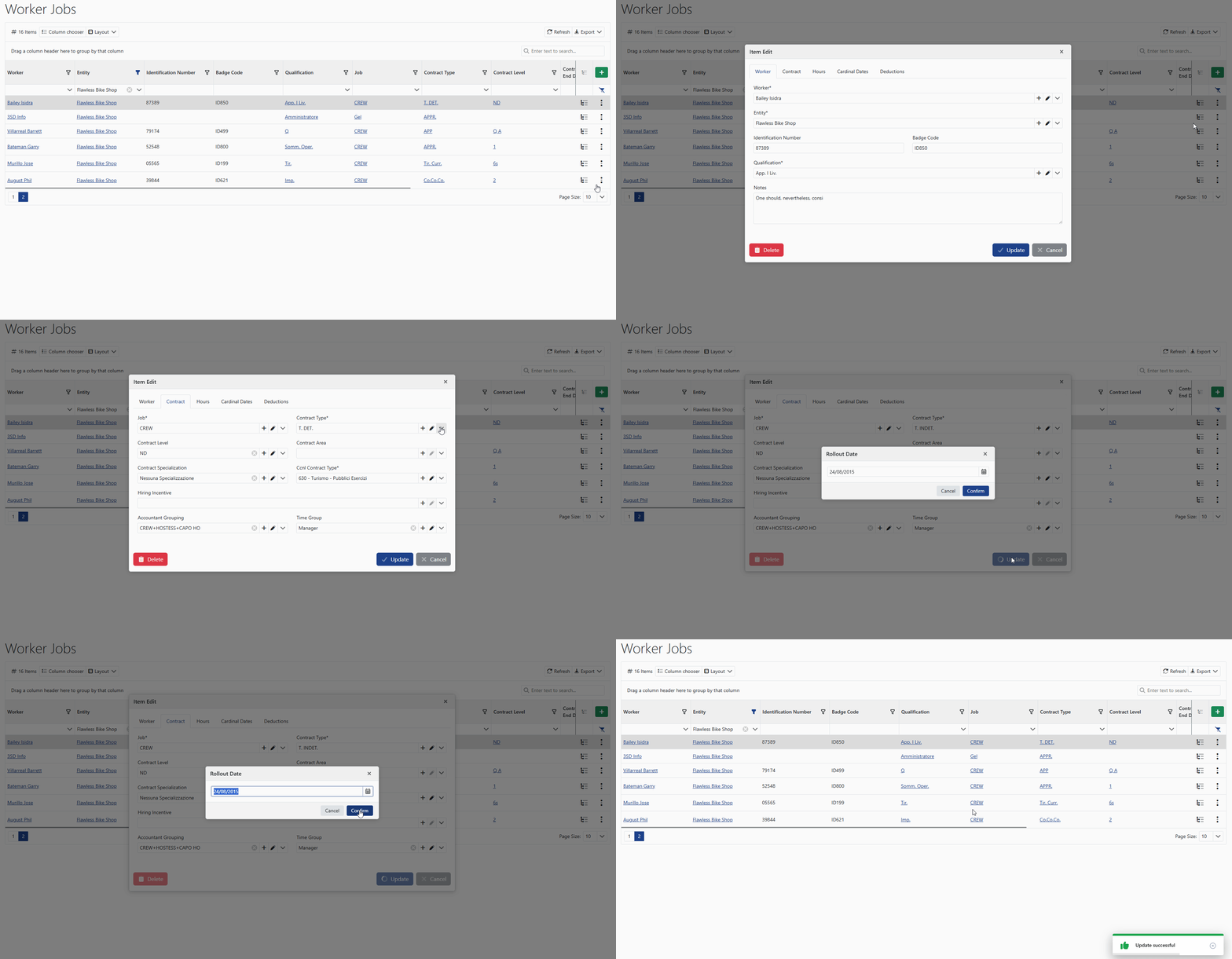
When a contract is modified, the system requires the effective date of the changes.
This allows the system to preserve the history of contractual changes without losing previous information.
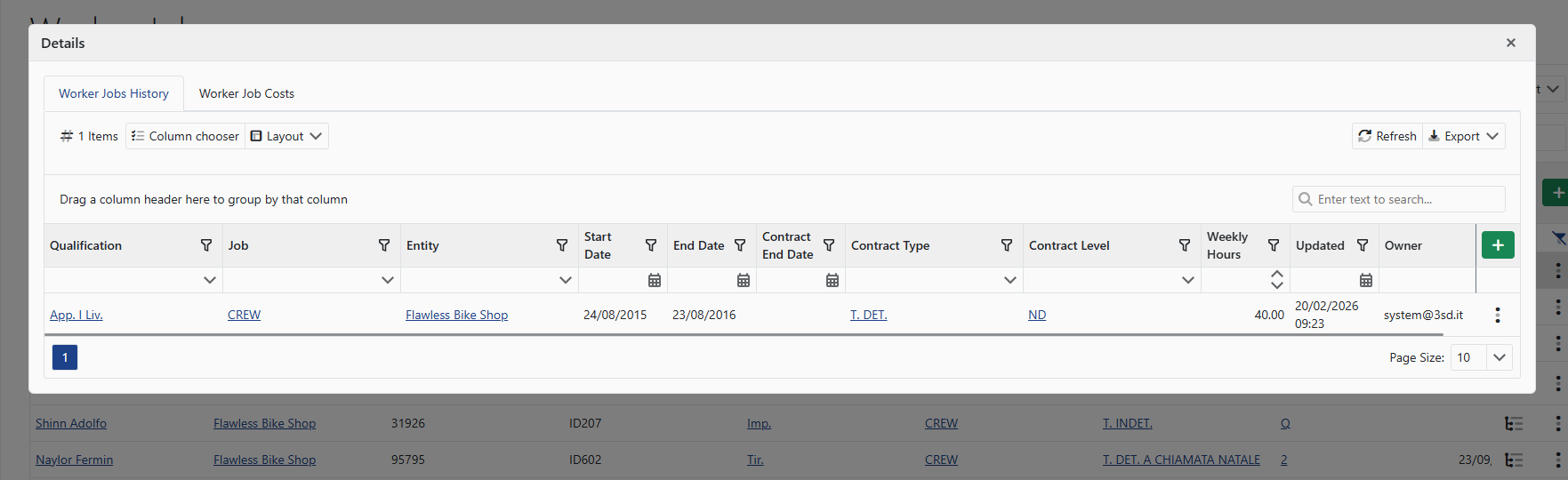
All changes are automatically saved in the worker’s history, which can be consulted in the Contract History section.