🏢 Departments
The Departments page allows you to define the internal organizational structure and configure the related approval workflows.
From this section, you can create departments, organize them hierarchically, and manage approval rules.
🧩 Department structure
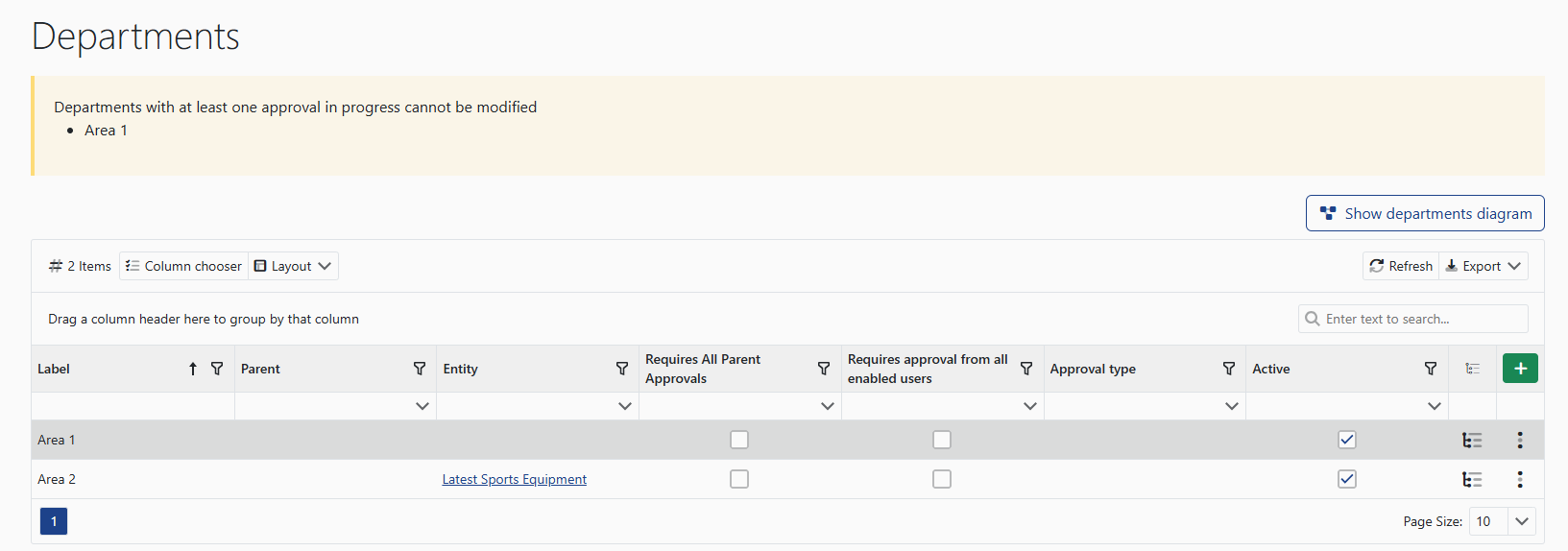
Departments can be configured using a parent/child structure and associated with a specific entity.
Departments with ongoing approvals cannot be modified.
🗺️ View department diagram
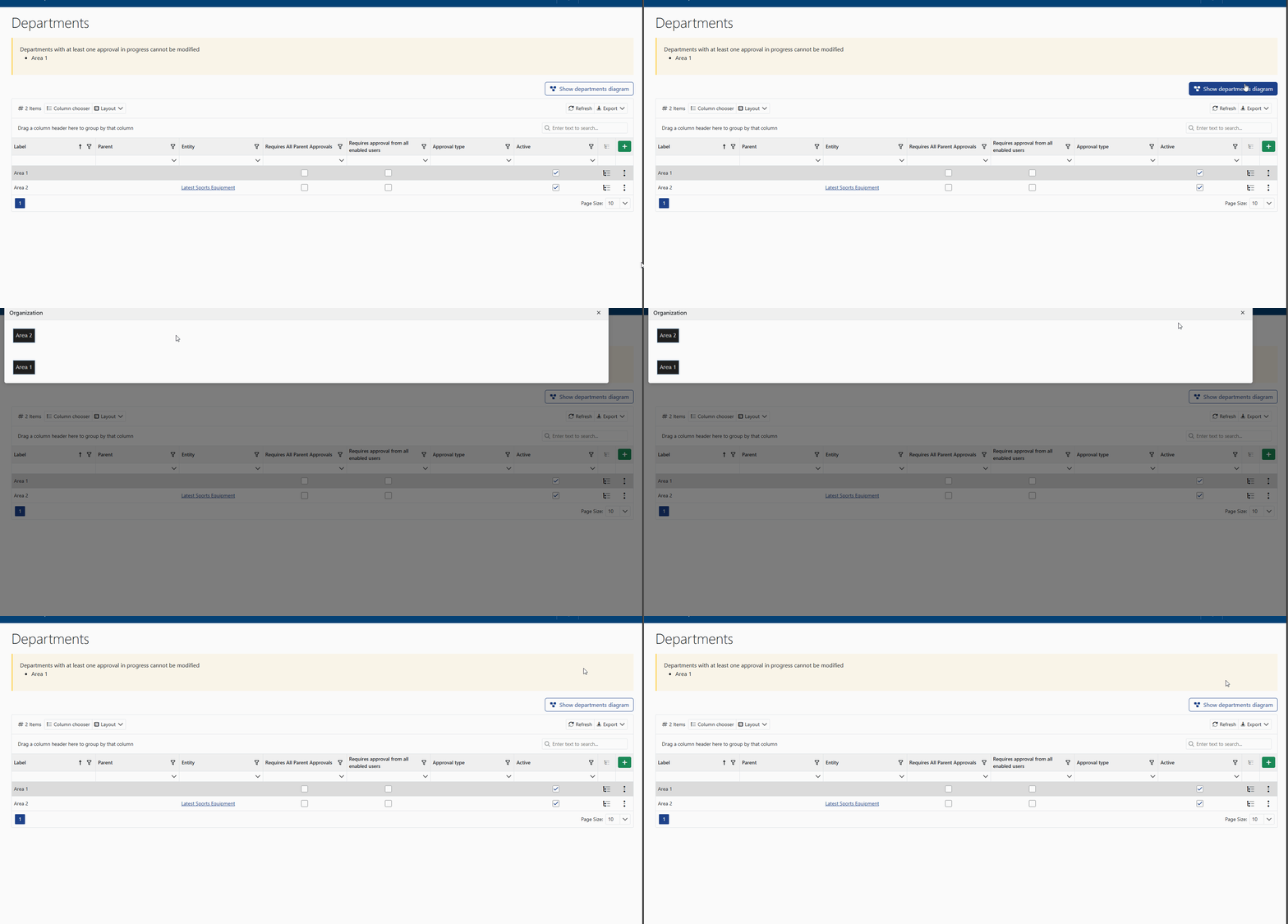
The View department diagram button allows you to visually display the department hierarchy, making it easier to understand the organizational structure.
⚙️ Approval configuration
By accessing the department details, you can configure approval workflows through the following sections.
👤 Approval users
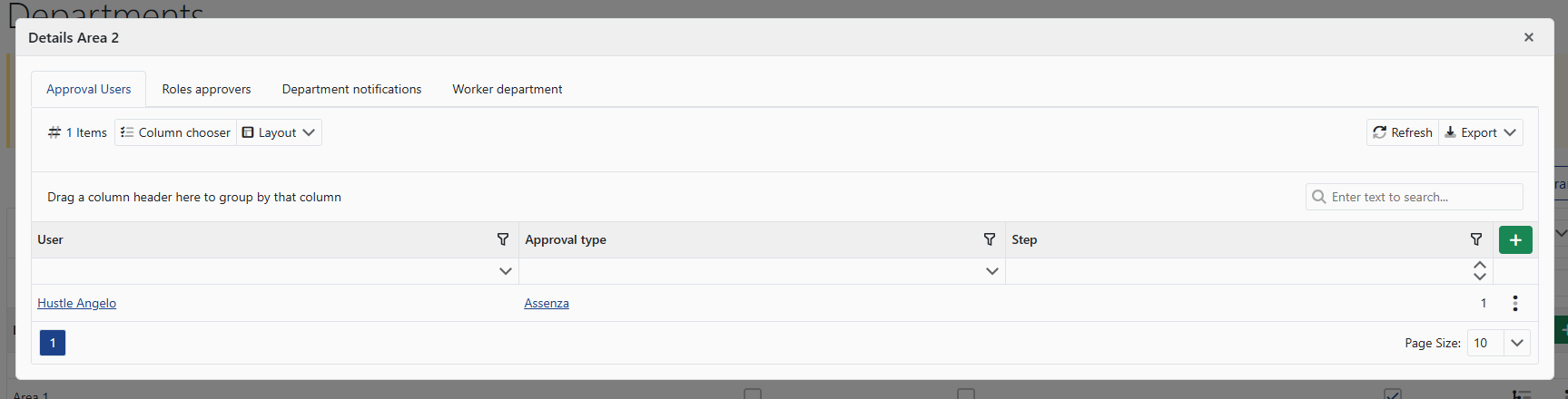
Allows you to associate specific users with the department approval process, defining the approval phase and type.
🧑💼 Approval roles
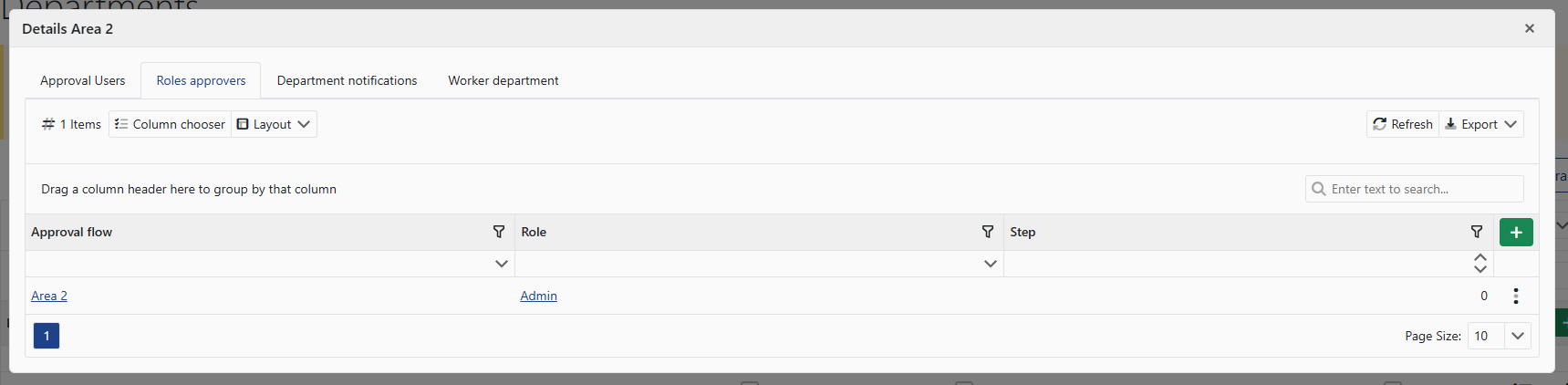
Allows you to define which roles are involved in the approval workflow and at which stage they intervene.
🔔 Department notifications
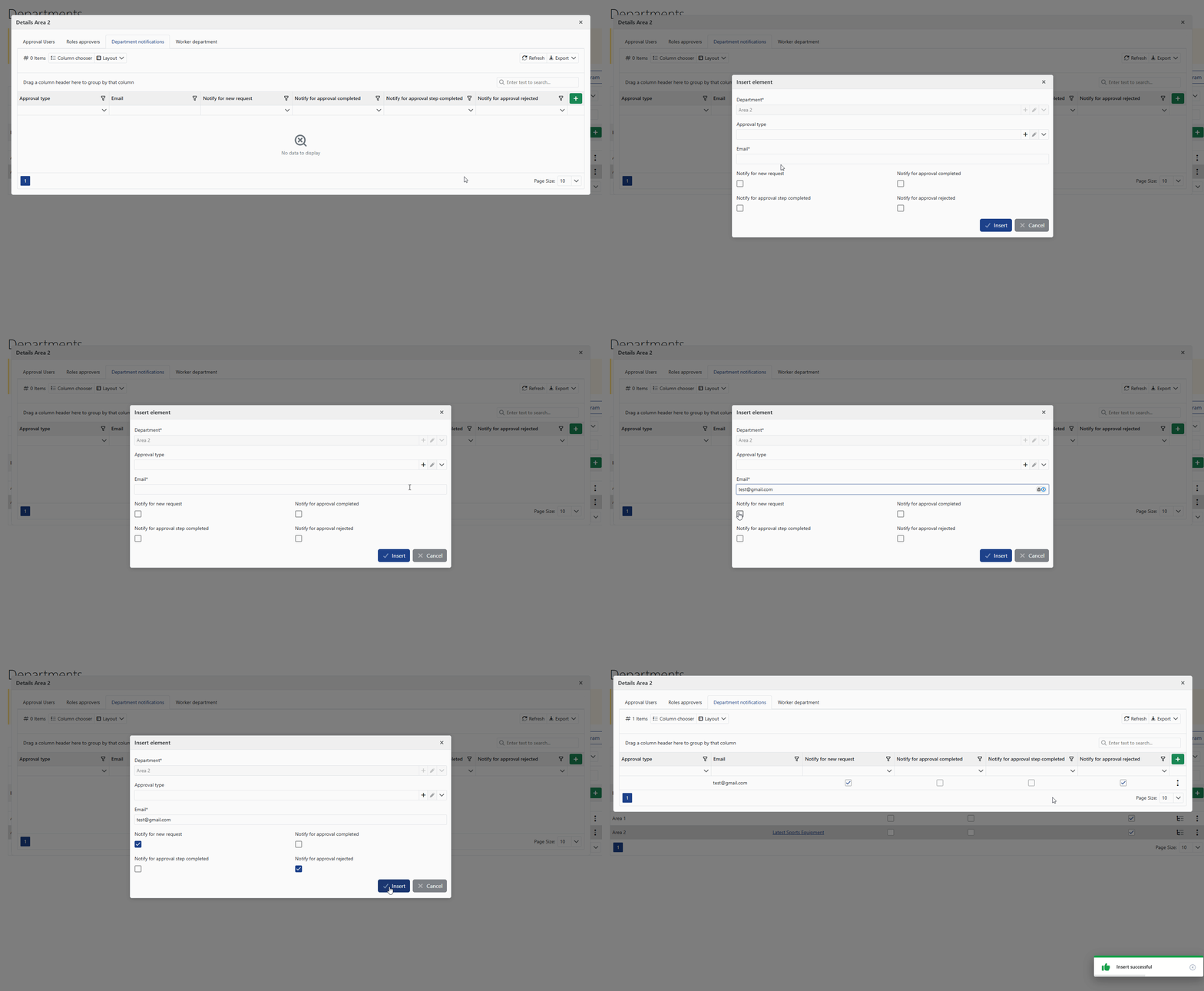
Allows you to configure email notifications related to approval events (new request, completion, rejection, etc.).
👥 Worker departments
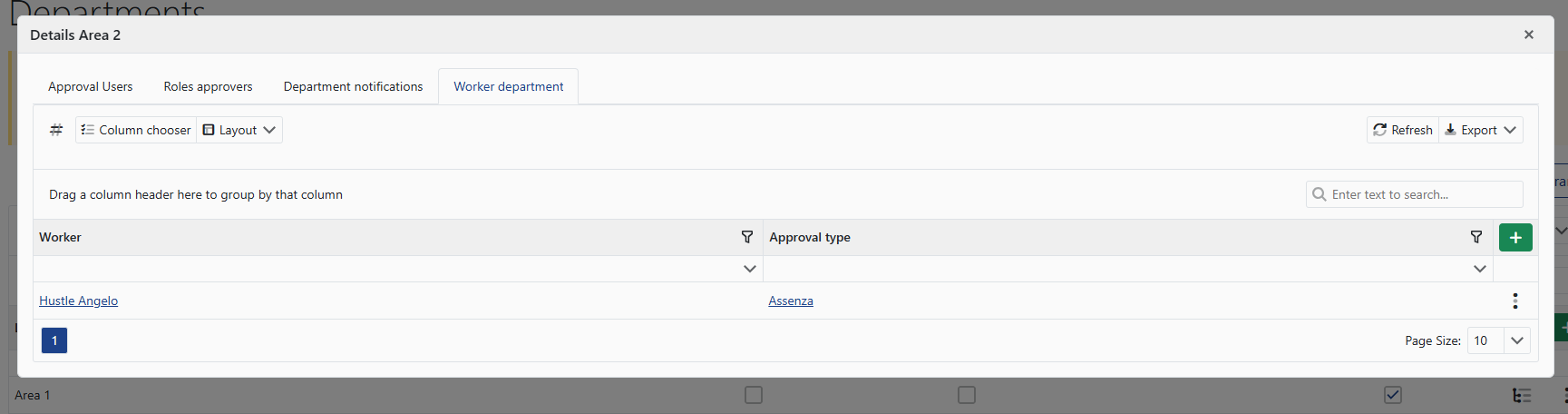
Allows you to associate workers with the department, making them subject to the configured workflows and rules.