Receipts
The Expense Reports section allows employees to easily manage their receipts and reimbursement requests.
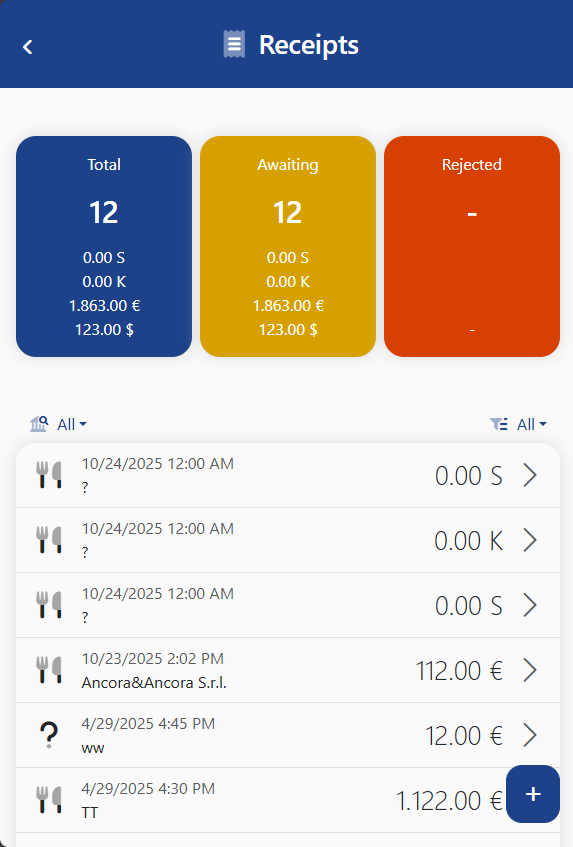
📋 View and Edit
All submitted expense reports are listed on screen. By tapping on a row, you can:
- View the details
- Edit the information
- Delete the report (if allowed by company policies)
➕ Add New Expense
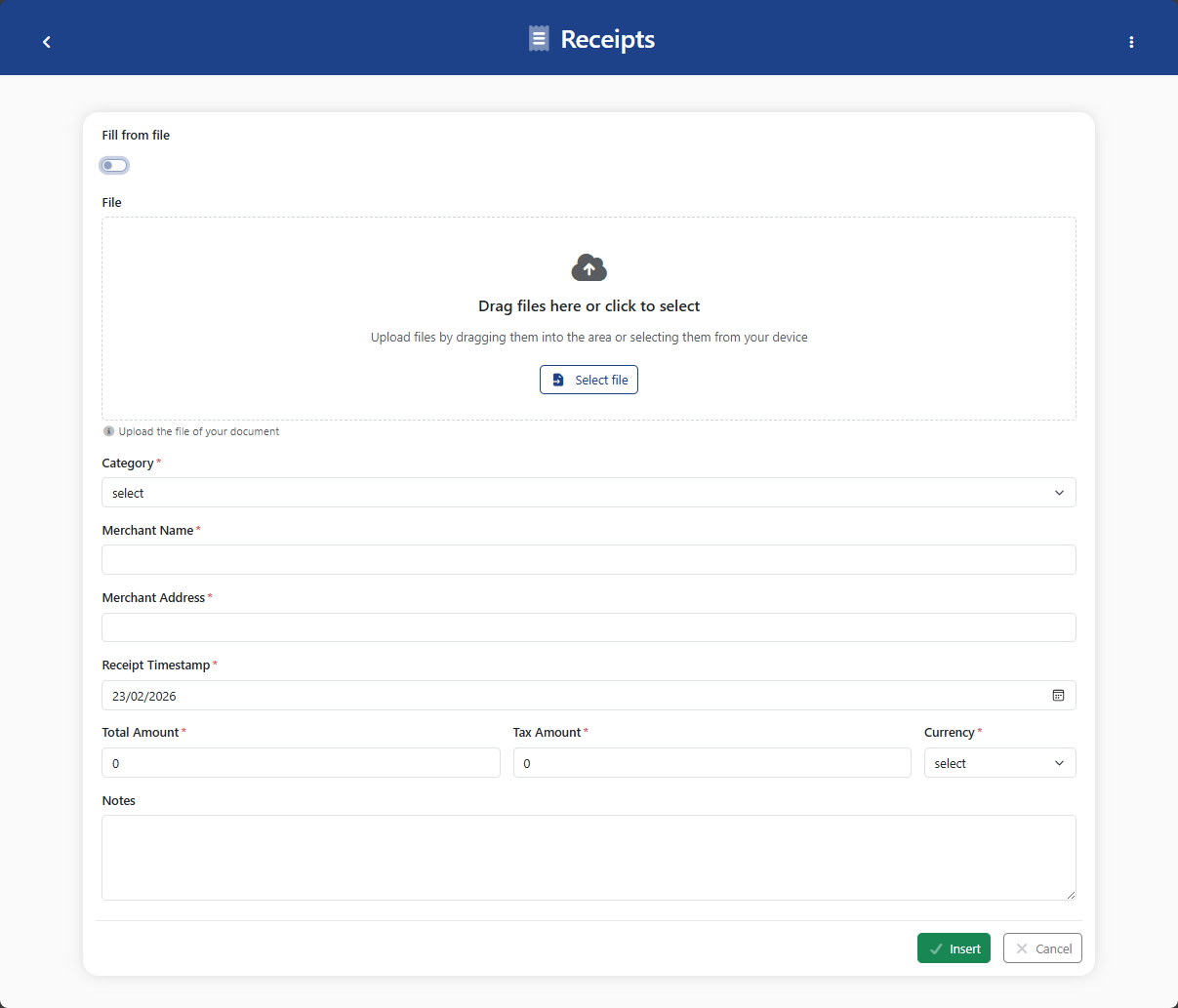
By tapping the + button at the bottom right, you can create a new report using one of the two methods:
- Manual entry: select type, amount, date, and other details
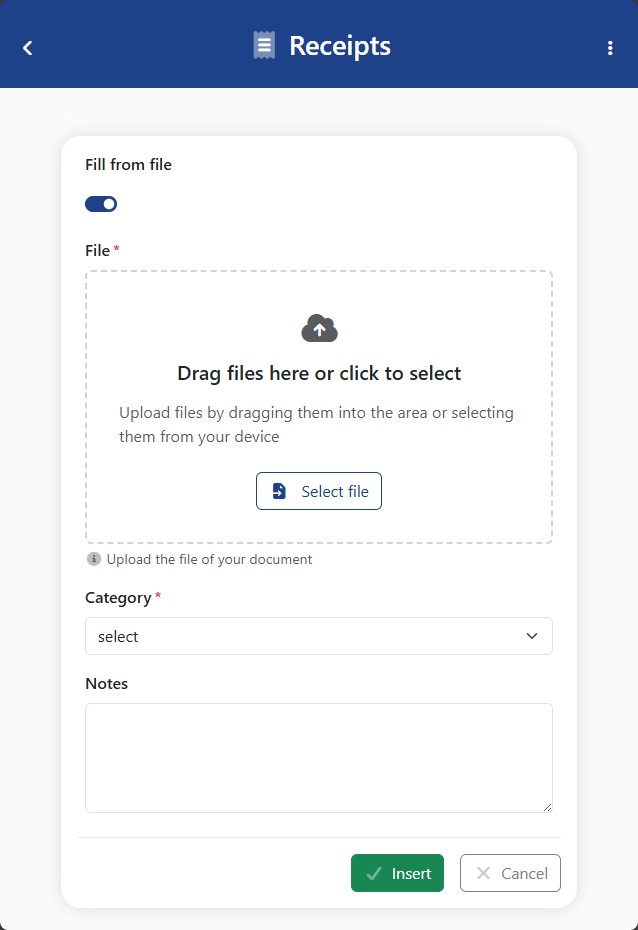
- Take a photo: take a picture of the receipt. The app uses Artificial Intelligence to automatically extract the data
✅ Expense Status
Each report may have one of the following statuses:
- Pending: waiting for approval
- Approved: accepted by the manager
- Rejected: not approved, may include a reason
info
The approval flow may vary depending on the company’s InariHub configuration.