⏱️ Punches
The Punches page allows you to view and manage all punches recorded by workers.
From this section, you can verify clock-in and clock-out times and check the origin of each record.
📋 Punches overview
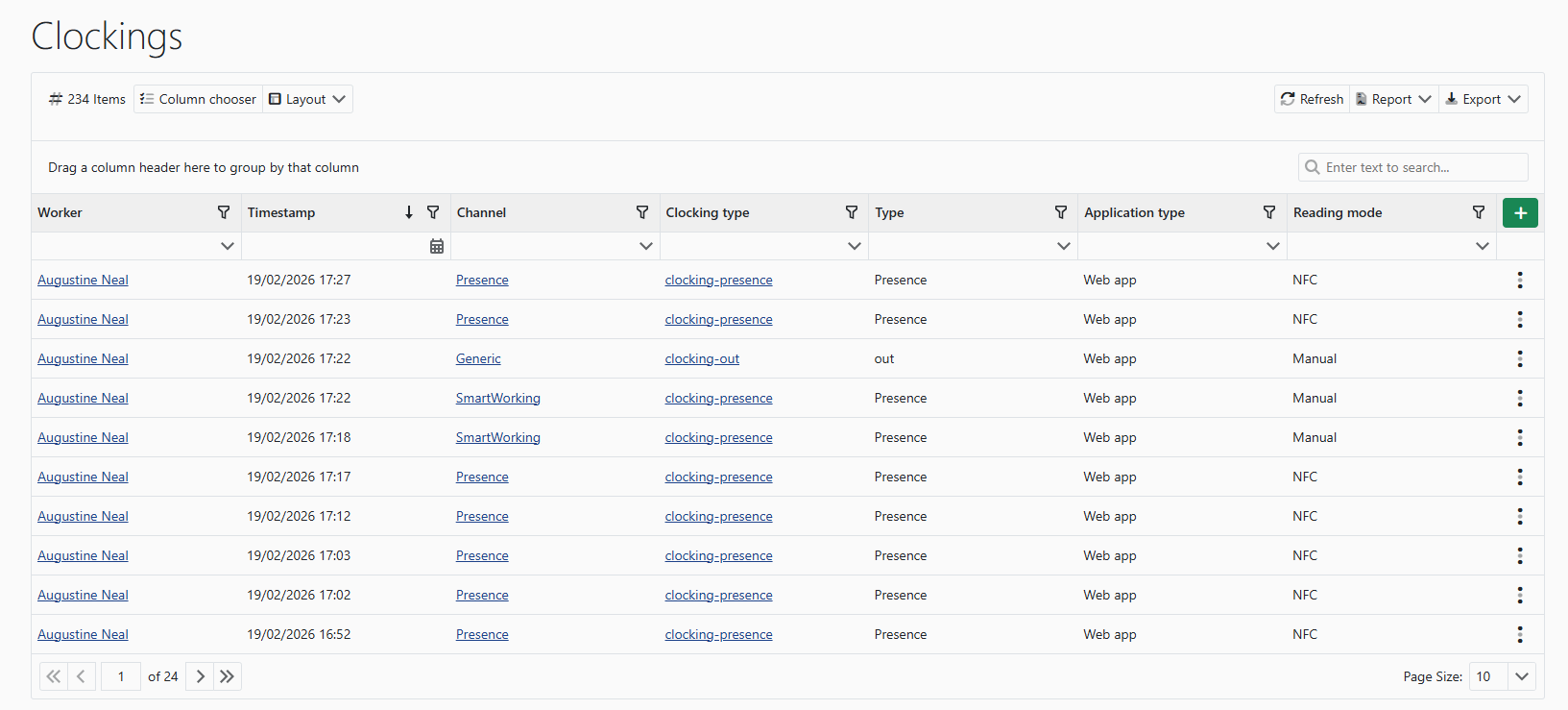
Each punch displays the main associated information, including:
- 👤 worker
- 📅 date and time of the record
- 🌐 source channel
- 🧾 punch type
- 🏷️ category
- 📱 application used
- 📡 reading method
This makes it easy to distinguish manually entered punches from those automatically acquired through apps or devices.
➕ Manual insertion
You can manually insert a punch when necessary, for example to correct missed punches or manage special cases.
Manual punches are recorded while keeping track of the insertion method.
⚙️ Attendance control
The information on this page is used by the system for:
- 📅 comparison with planned shifts
- 📊 visualization in the attendance calendar
- ⚠️ anomaly detection between planned shifts and actual attendance