🏖️ Absence Requests
The Absence Requests page allows you to view and manage absence requests submitted by workers.
From this section, you can check the status of requests and proceed with approval or rejection.
📋 Request overview
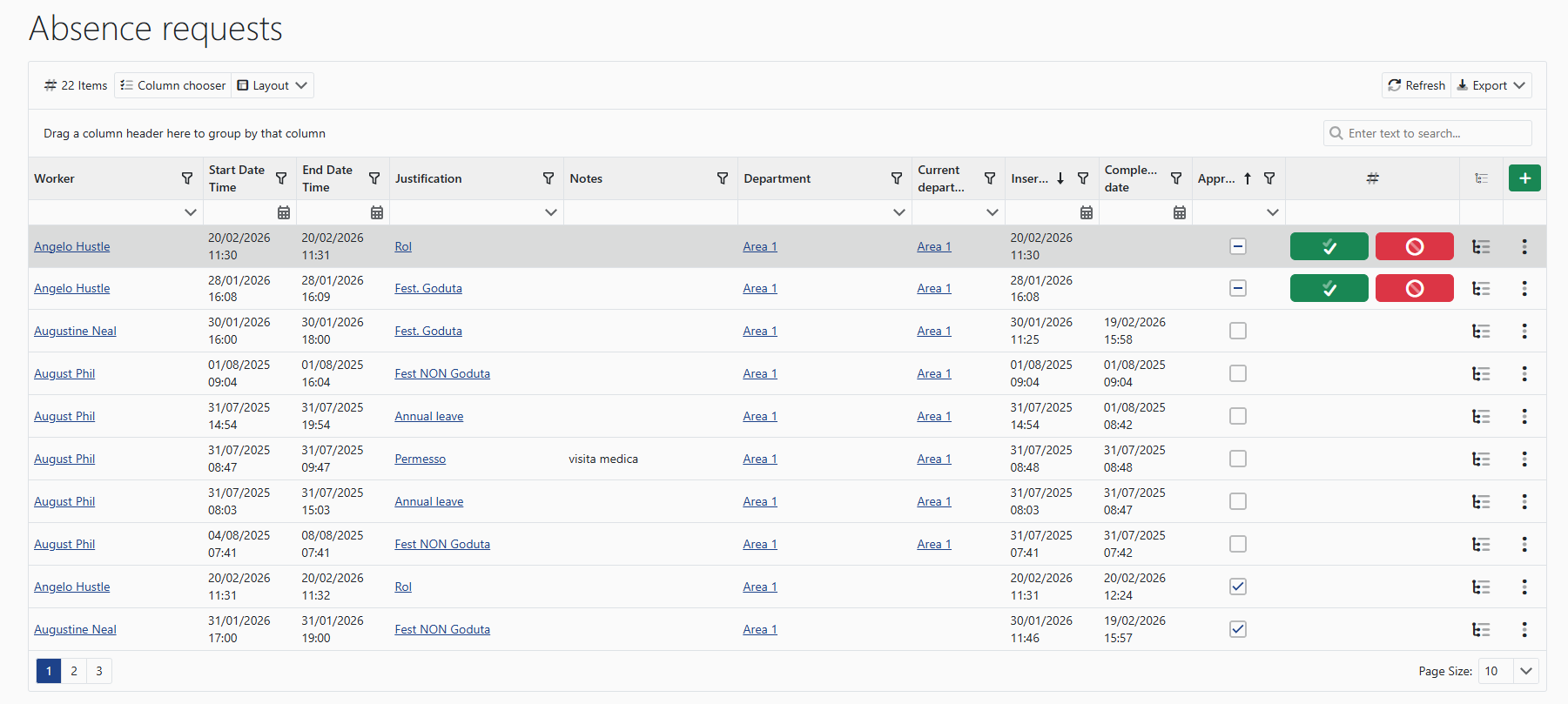
Each request displays the main information:
- 👤 worker
- 📅 absence period
- 🧾 justification
- 📝 additional notes (if any)
- 🏢 department
- ✅ approval status
- ⏱️ process completion date
🧰 Request management
Requests can be managed directly from the page using the available actions.
✅ Approval
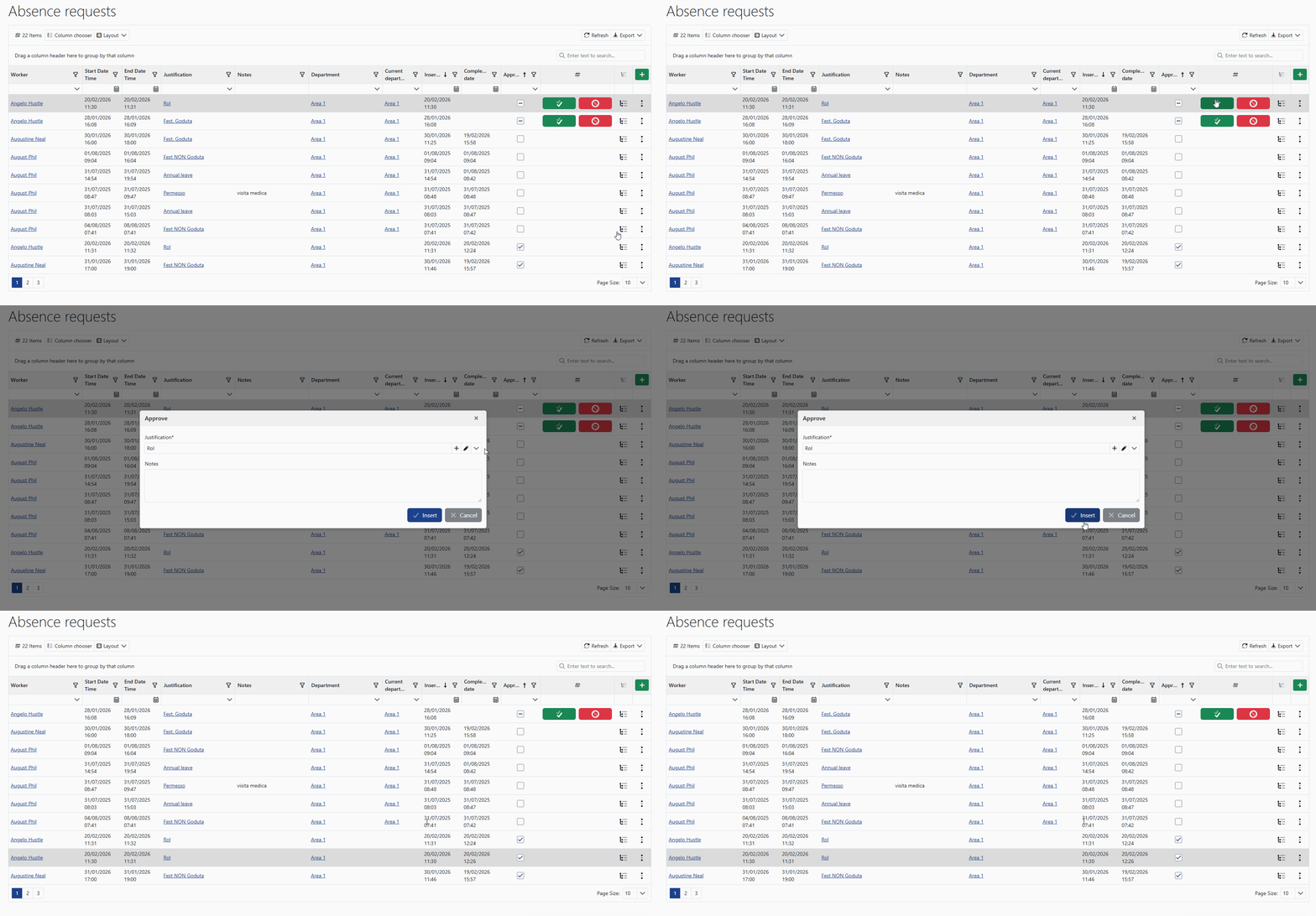
Approval confirms the absence request, making it valid for scheduling and attendance management purposes.
❌ Rejection
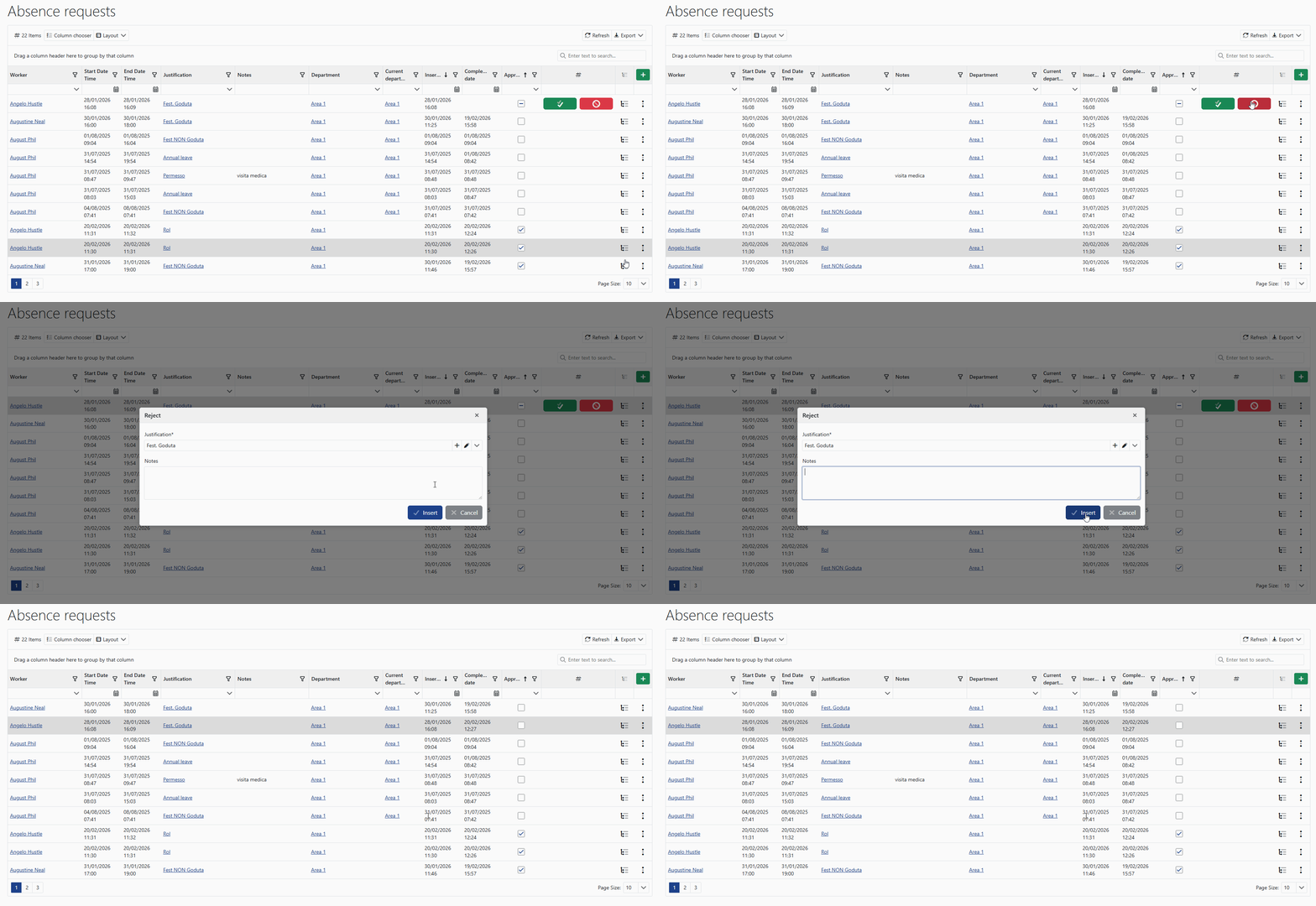
Rejection cancels the absence request while keeping a record of the operation in the history.
⚙️ How it works
Approved requests are automatically considered by the system in attendance calendar management and punch validation checks.